Nederlands

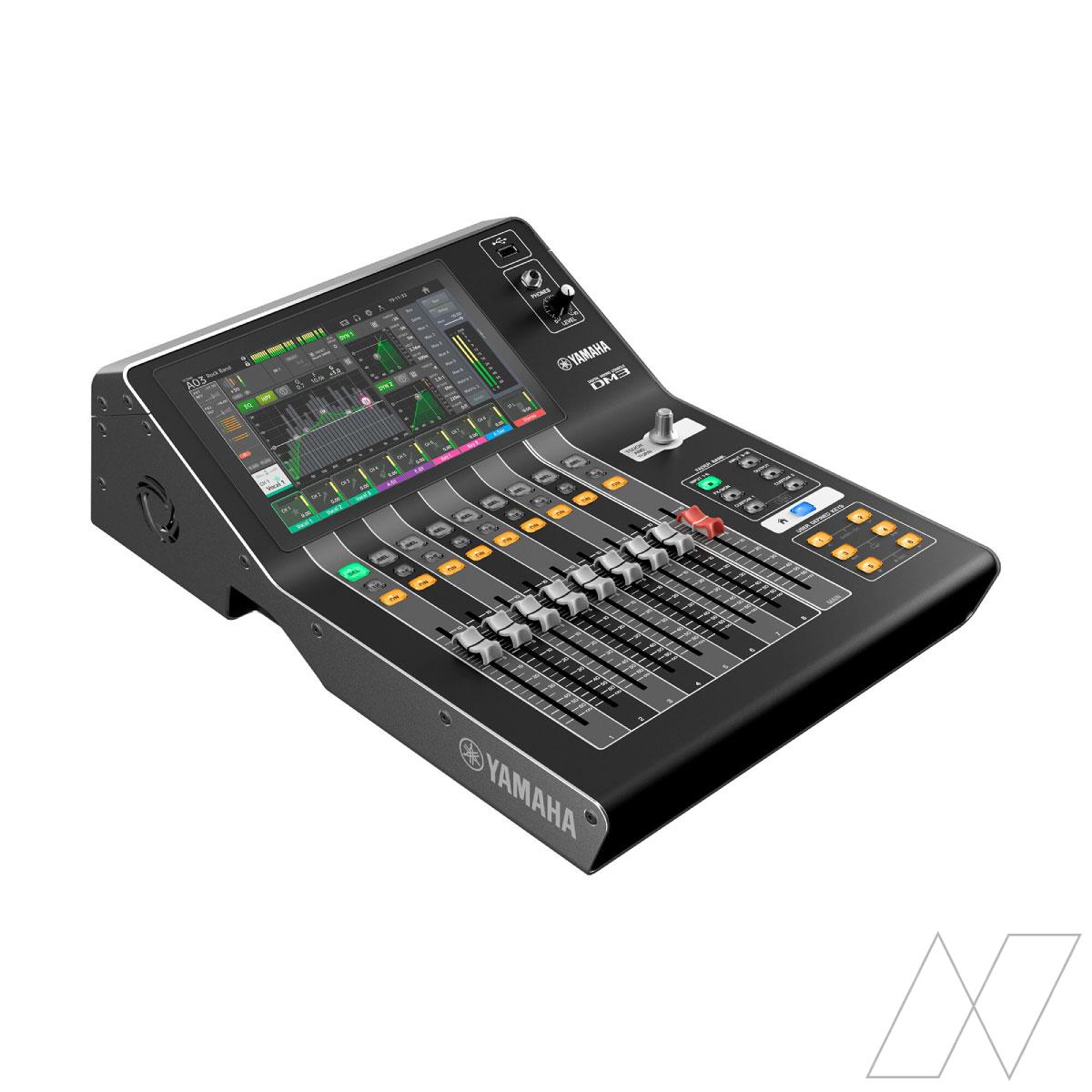
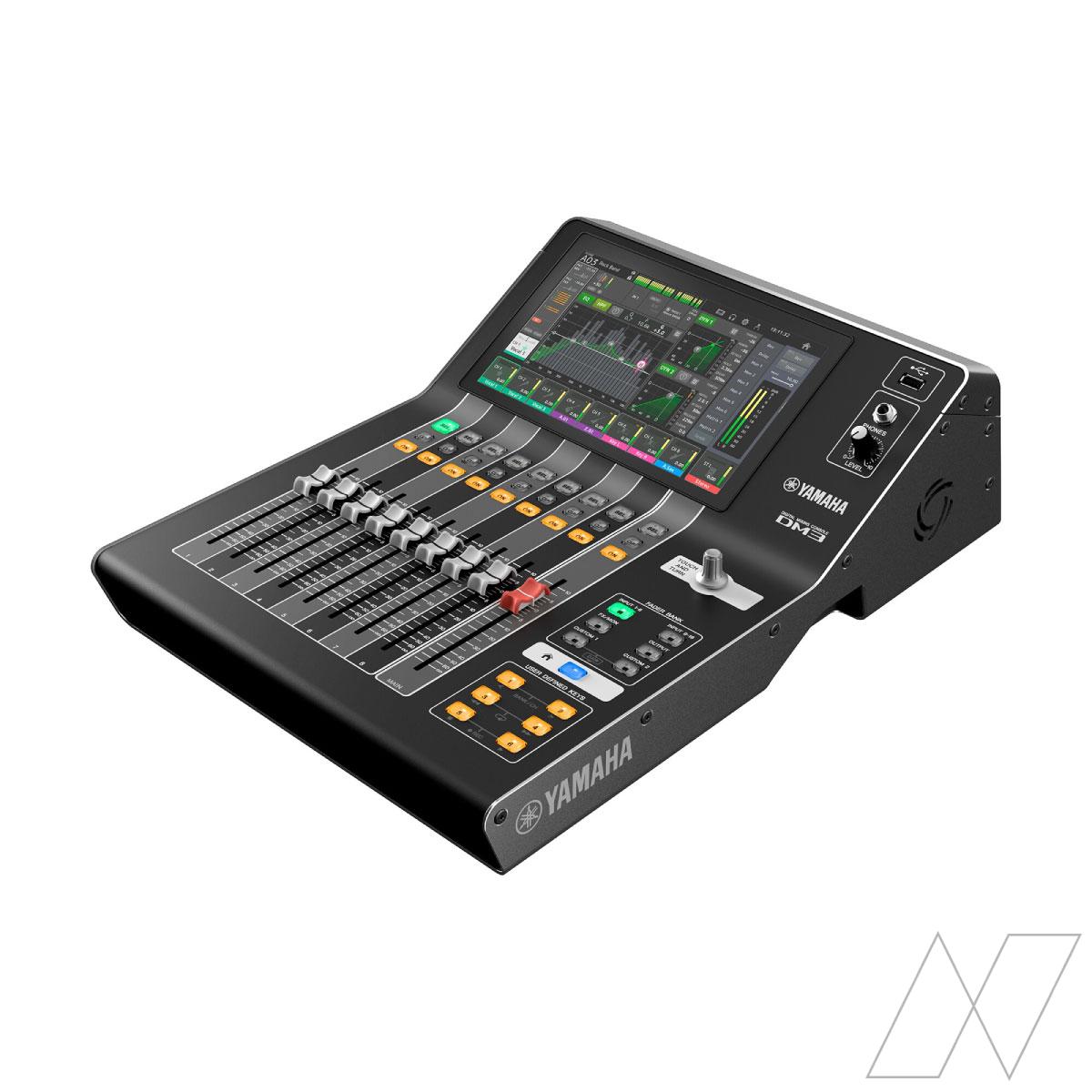
Yamaha DM3
-
 Compact and versatile 22-channel digital mixing console
-
16 mono + 1 stereo + 2 FX return
-
Touchscreen and remote tablet control
 Receive a quotation by email within 1 working day!
Pros and cons
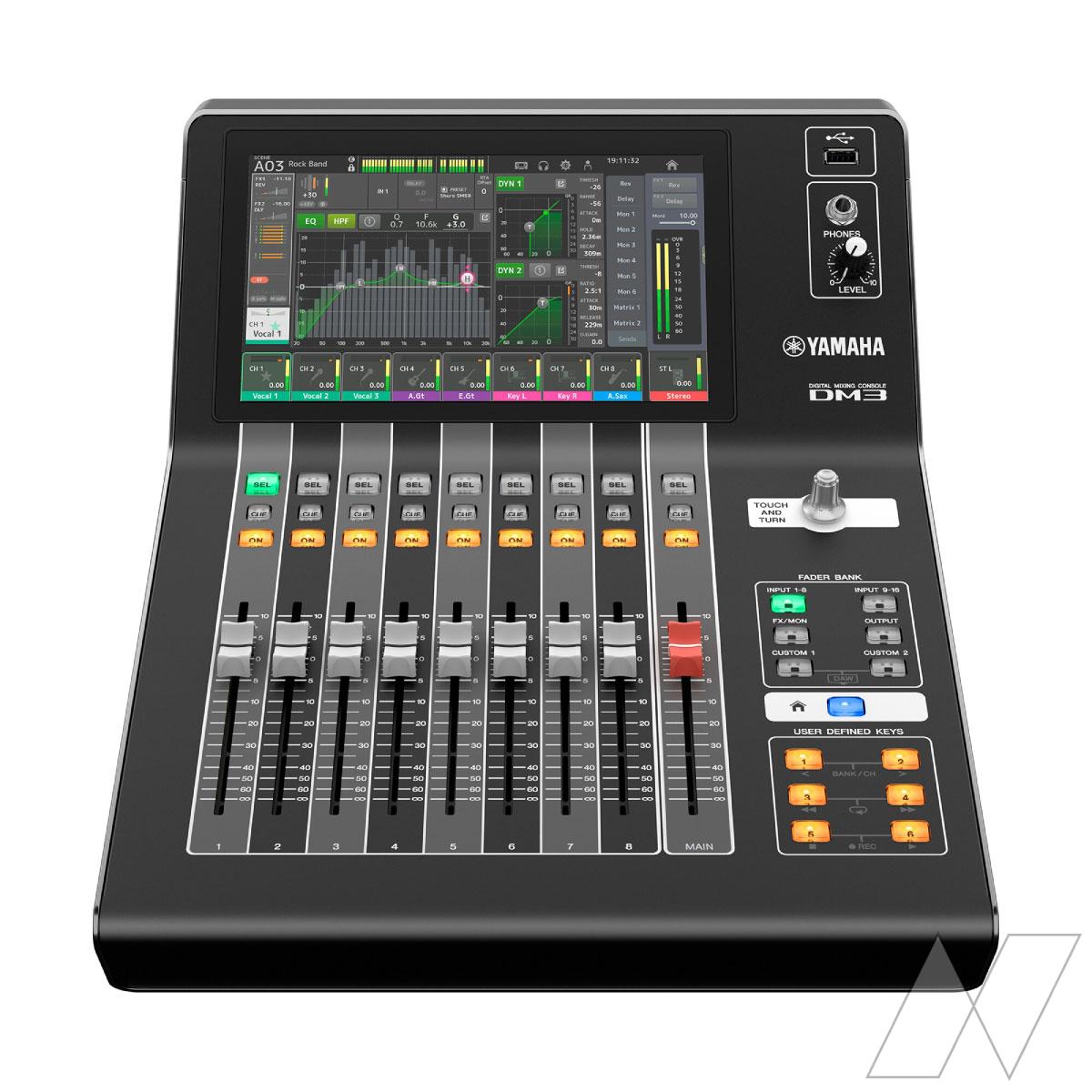
- Intuitive operating system and 9" touchscreen
- Plenty of onboard audio processing. From compressors and gates to EQ, delay, and anti-feedback.
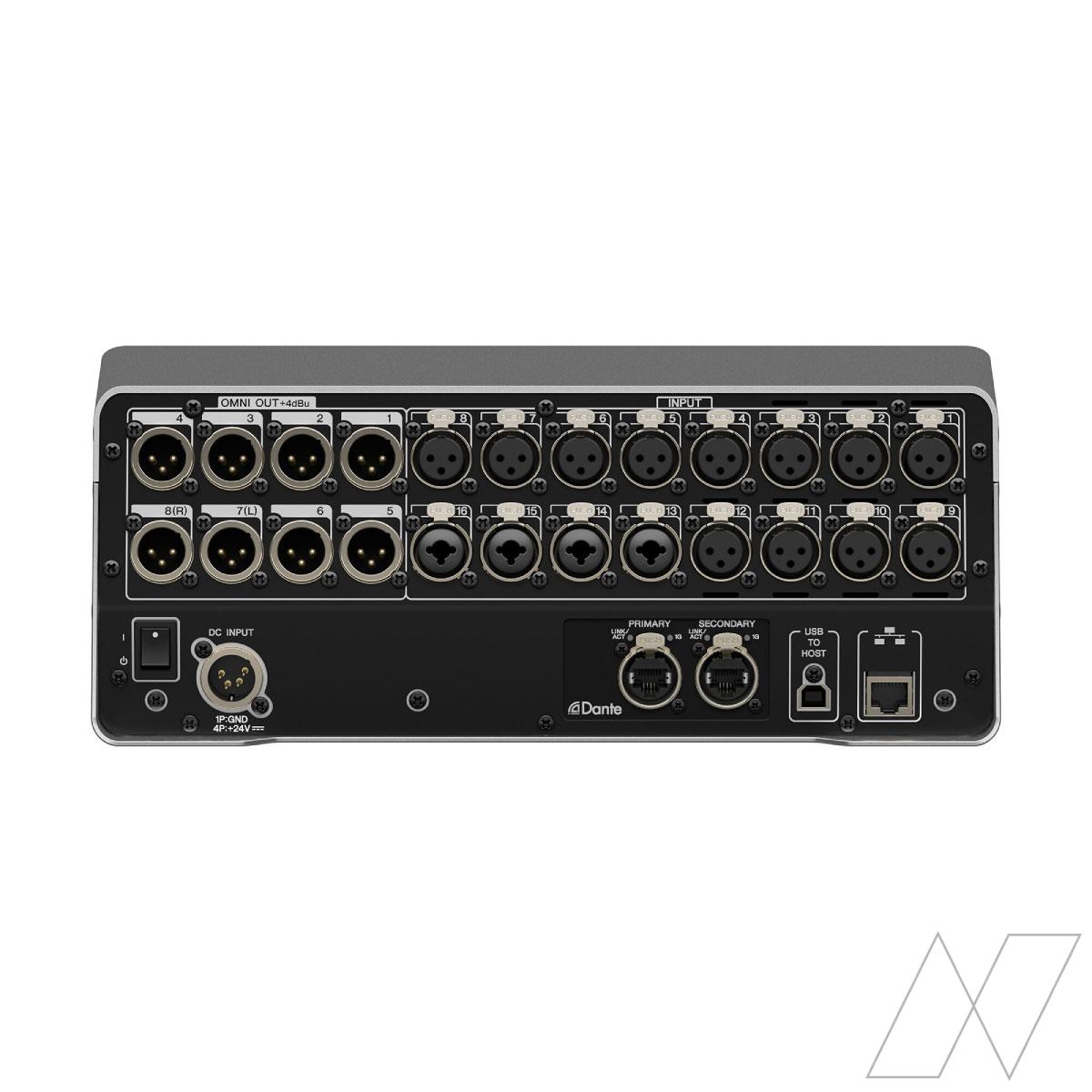
- Equipped with a Dante network connection
- Limited number of channels. If you expect to need more, rent a larger audio mixer from our range.
Description
The Yamaha DM3 is a very compact digital audio mixer. Despite its very compact size, this mixing console features no fewer than 16 inputs. Under the hood, this mixer is a serious piece of equipment and is equipped with everything you need. On this mixing console, you will find two high-quality multi-effect processors with various types of effects, two Dante connections for audio distribution over Ethernet, 6 mix buses, and 2 matrices. This mixer is easy to operate for an audio technician with experience in digital mixers.
With 9 motorized faders, variable bus configuration, and tablet application, this mixer is suitable for a wide variety of applications. Think of presentations, small bands, conferences, and other small to medium-sized events. With Yamaha’s legendary sound quality, you are well-equipped for practically any application. The 9-inch touchscreen and convenient ‘one-touch’ rotary knob provide optimal ease of use for the sound engineer.
Can I operate this Yamaha DM3?
The Yamaha DM3 is easy to operate. However—as with any digital audio mixer—solid specific knowledge is required to get the most out of the mixer. At Rental Supplier, we offer a whole range of Yamaha mixing consoles. You can also come to us to rent analog variants, which are easier for the layman to operate. For example, take a look at the Yamaha MG10XU or the Yamaha MG20XU.
Can you handle the Yamaha DM3? That depends on your knowledge of digital console mixers. Not sure if you have mastered this knowledge? Then watch the YouTube video in the media files. You can find tutorials there. Do you understand the entire tutorial? Then you can get started with this mixer immediately.
Does the Yamaha DM3 have a Dante network connection?
Yes, this Yamaha DM3 features two Dante ports. If you want to connect this audio mixer to a digital stagebox or receive inputs on Dante, that is easily possible with this mixer.
Can I control the Yamaha DM3 remotely?
Absolutely. The Yamaha DM3 StageMix iPad app allows you to control the mixer remotely in a simple and intuitive way. This gives you flexibility if the mixer cannot be placed in a suitable location in the venue. The monitor application is compatible with iOS and Android and gives you control over the artists’ monitor mix.
What can I use the Yamaha DM3 for?
In fact, this mixer is suitable for all applications, provided you stay within the limits of the channels and functionality. This makes the mixing console extremely suitable for small events, such as speeches or presentations. However, you can also use this mixer for, for example, a musical trio or a live performance by an artist. After all, the mixer has everything on board to facilitate this.
What does this digital mixing console have to offer?
Despite its small size, this mixer actually has everything on board that you expect from a digital mixing console, and more! From a full-fledged effects library and retrievable presets to compressors and gates. Equalization, remote control, recording functionality, anti-feedback, and the ability to create scenes.
How do I connect this mixing console?
The Yamaha DM3 mixer comes with a power adapter. Connect it to the mains and start the mixer by pressing the power button. Next, connect the microphones or audio sources to the designated channels. Connect the sound systems to the outputs or aux inputs, and you are ready to go.
Product specifications
| Weight | 6.50 kg |
|---|---|
| Dimensions | 32.0 x 45.50 x 14.00 cm |
| Production specific information | Digital |
| Transport specific information | The mixer is packed in a flight case. Flight case dimensions: 424 x 685 x 251 mm (W x D x H). The mixer comes with the necessary power cable. |
| Input(s) | 16 mono + 1 stereo + 2 FX return |
| Output(s) | 1 Stereo, 6 Mix, 2 FX, 2 Matrix |
| Watt | 43 |
| Amperage | 0.19 |
| Included accessories | The mixer comes with the necessary power cable. |
Delivery costs
Delivery to location is available for orders from €100,- Excl. VAT. Enter the location for an indication of the delivery costs.
Good to know
Ease of use


Transport


Manual
 Download Manual